Creating an AI Rockstar (2026)
A very brief outline for members of the Rock Appreciation group at its relaunch meeting (8th June 2026) explaining all of the stages needed to invent an AI Rockstar then get their music into popular music apps.
Which AI Superstar would you invent?
Grim Townz AI Artist on Spotify
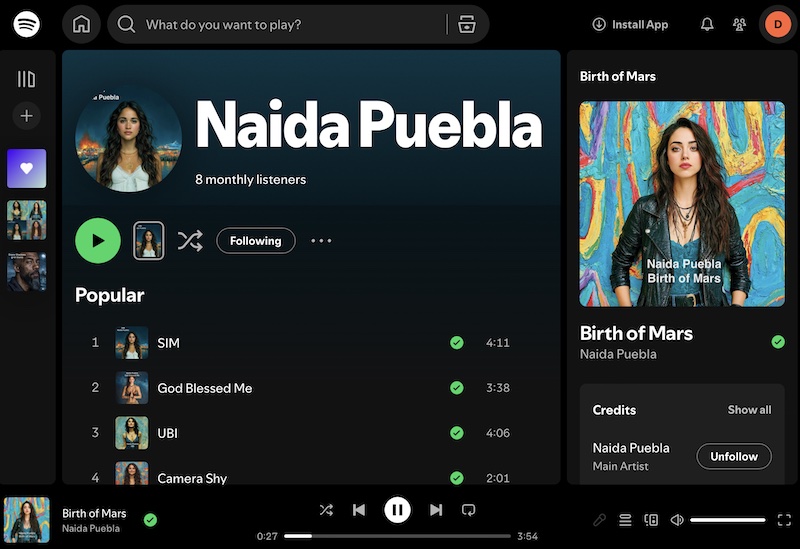
Spotify page for Naida Puebla - see below for more ...
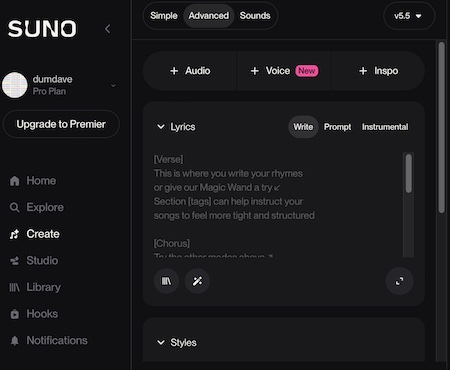
[Stage 1]. Creating an initial song. Your starting point for creating AI Music, it is the software used for creating all of the music heard today. Easy to use in a web browser like Safari. Website is:
www.suno.com There is free use with limited credits and facilities but you may want to subscribe to the Pro Plan at USD 10 per month (on a monthly plan that can be cancelled monthly if required).
Suno has a 'Simple' mode where you simply describe a song and Suno creates both lyrics and music. In advanced mode however there is a space to enter all lyrics, and another place where you can select the style.
Step 1: Write some lyrics (or ask an AI chat tool to write them for you and then make any changes you need). Cut and paste them into the lyrics space.
Step 2: Enter your preferred music style in the Styles box, say 'sixties glam rock'. There are suggestions available just below, and you can add many styles in combination, including things like 'gritty male vocals'.
Step 3: Add your Song Title lower down the page and press Create. Two versions of the song will appear to the righthand side though they will take a few minutes to be ready. If you do not like one of those, create another and another until you have one you like.
[Stage 2]. SHARING, DOWNLOADING or PUBLISHING your Suno song.
Sharing: Alongside each song the 'three dots' dropdown menu offers a Sharing option in particular 'Copy link'. This automatically provides a pastable weblink that can be emailed to others. You can as usual also share to WhatsApp etc.
Downloading: On the same dropdown menu there is the option to download the song file as either an MP3 (for a typical 3 minute song 5 MByte) or a WAV (40 MBytes) file. If you are planning on publishing the song elsewhere it is useful to get both but be aware they are large files which you may be able to handle better on a laptop computer than a phone.
Simply having downloads lets you play with lots of ideas. DumDave songs first helped create the radio station here:
SAY (Sodbury and Yate) AI Radio www.sayairadio.com using Radiolize www.radiolize.com/ for about £10 a month.
Or you can create a YouTube channel like this one:
The DumDave YouTube channel. Note that for YouTube you first need to turn your audio file into a video - but there isn't enough room in this explanation for the ways to do that.
Simplest of all - publish on Suno: Suno allows you to make your song creations public within Suno. You may wish, of course, to go wider to Spotify, YouTube etc.
[Stage 3a]. Inventing your Rockstar image.
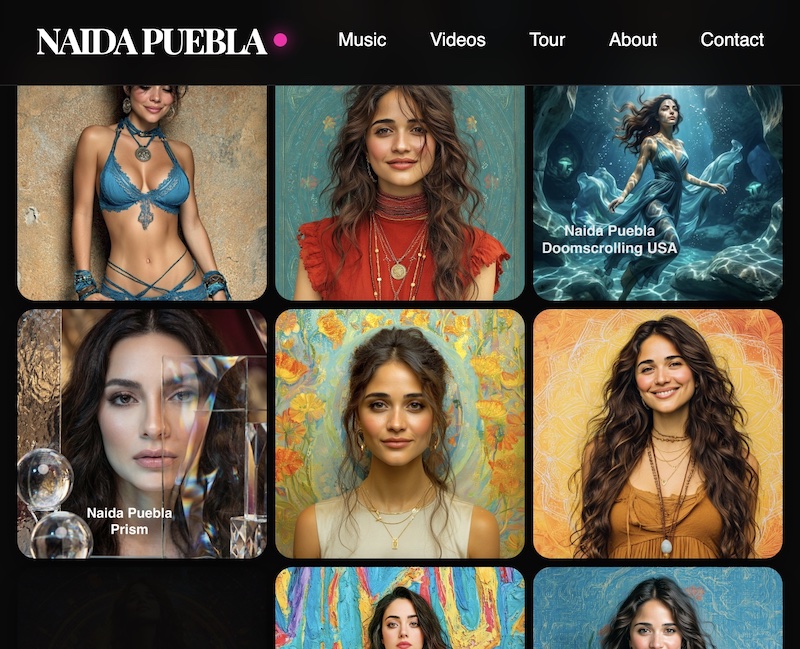
Use AI to create a square image of your Rockstar. Our example is Naida Puebla - international rock superstar, seen in the image below which shows the home page of her website:
www.naidapuebla.com/
And here is Naida Puebla's Spotify page. As you see there are few visitors, the obvious downside of the immense expansion of music because of AI.
Most of the main AI Tools will let you produce such an image but Google's Gemini is very good - register a GMail account which is free first, you do not have to use it for GMail. At the moment Gemini has good free use but you can also subscribe for more time and options.
[Stage 3b]. Developing images of your Superstar in different outfits and locations..
Gemini and many other AI tools are great at creating images of your chosen star in different poses etc while keeping the same general look. You will need one image at least for every new song to be the album cover.
[Stage 4]. Create a 'Voice' in Suno..
Wait until you have exactly the voice you need in one of Suno's songs and do 'Remix/Voice' which lets you save it for reuse in all of your new songs.
Create more songs for your Superstar artist!
[Stage 5]. Speed up publishing with Distrokid (costs ££).
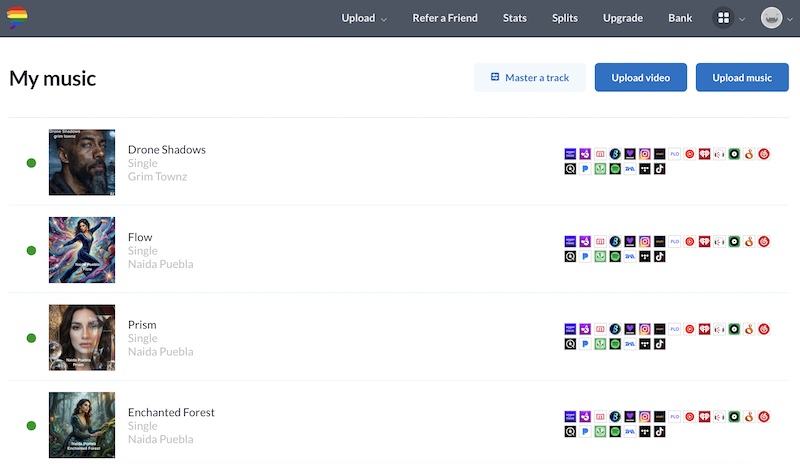
More on this later but see screenshop below.